Describe the bug
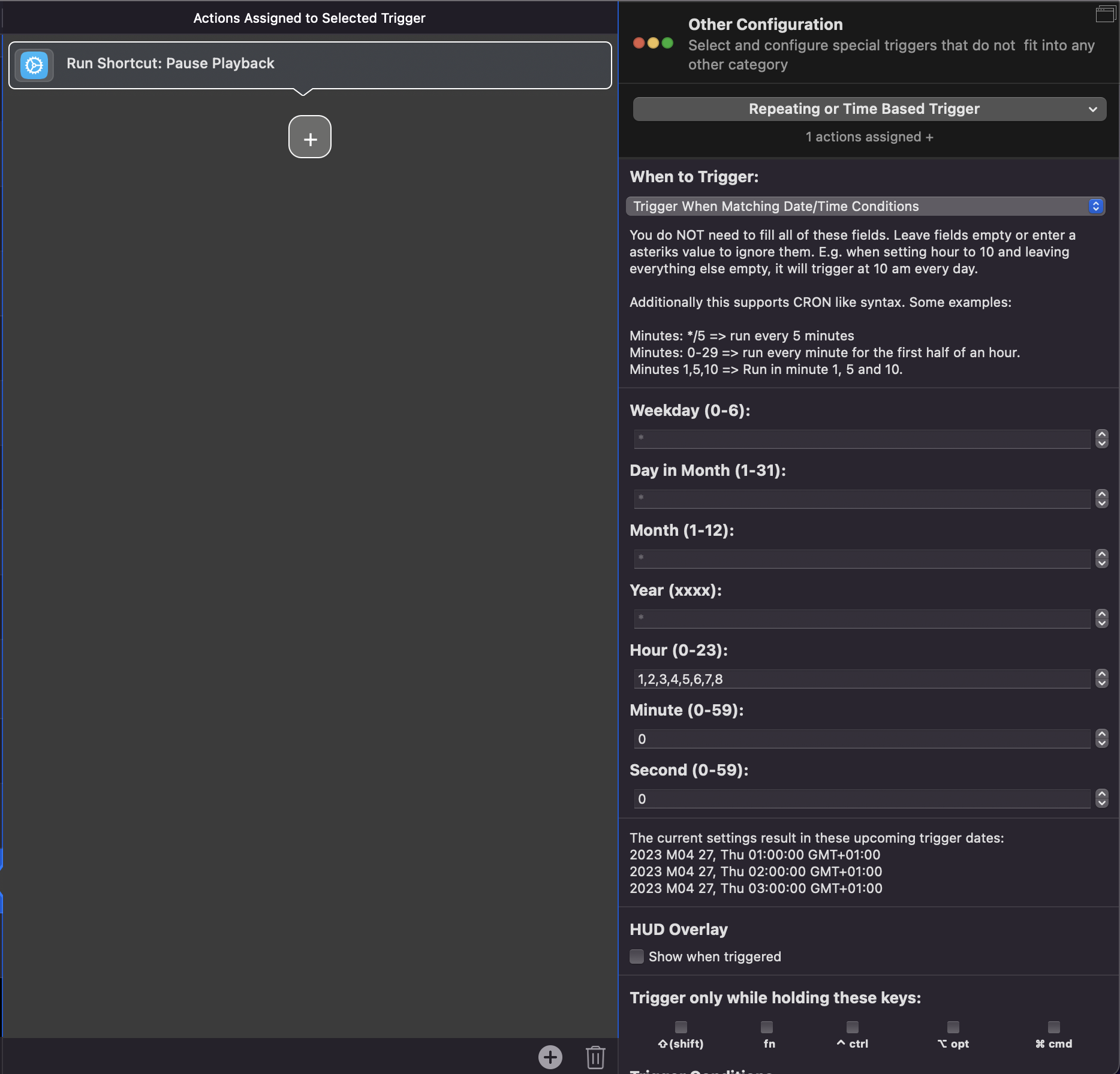
Time-based trigger runs continuously, I've set it to run the shortcut every hour starting at 1AM until 8AM.
When I activate the Automation, I can see it causing multiple activations and deactivations of the shortcut as evidenced by the frequent refreshing of the icon on the menubar.
Affected input device (e.g. MacBook Trackpad, Magic Mouse/Trackpad, Touch Bar, etc.):
Macbook pro M1pro 14" (Latest MacOS release [Ventura 13.3.1])
I saw the Apple Shortcuts icons on the Menubar, it's definitely triggering.
Tested switching the automation on and off to make sure it was BTT. When turned off, the icon stops flashing.
After changing it to 1-8, it strangely doesn't trigger. Even after switching it back to 1,2,3,4,5,6,7,8.
Now it doesn't trigger continuously, I'll leave it as is to see if it works fine today.
Describe the bug
This setup was working normally until today (Without updating BTT or anything, instead of triggering once every hour, it triggered once/sec [I had this problem many versions back, it was fixed, but now it seems to be back])
Tried restarting BTT and even the entire laptop yesterday when I was having the issue, but no luck.
So I turned off the trigger, just tried turning it on now and changed the cron hours to trigger, but no issues.
I'm also having issues with BTT accessibility access, it keeps showing that popup even though it already has access.. so I just killed the process for BTT, it relaunches and it's gone
@Andreas_Hegenberg I have a time based triggered that should run every morning to start my apps, I’m not sure why but my time based trigger gets triggered outside of the specified ranges, it should only work once a day, but I noticed sometimes it gets executed 2-3 times a day. I’m pretty sure sometimes it gets triggered on weekends too, and sometimes on evenings, what could be the reason?
Cron: (1-5, *, *, *, 8, 30, 0) So it should work on 8:30 on weekdays only. It just got triggered around at like 18:21 today, and I remember it getting triggered on weekend too, but doesn’t always happen.
The current settings result in these upcoming trigger dates:
2026 M01 2, Fri 08:30:00 GMT+03:00
2026 M01 5, Mon 08:30:00 GMT+03:00
2026 M01 6, Tue 08:30:00 GMT+03:00