
Hi,
Is it possible for BTT to recognize when the Spotlight Search Overlay is active?
I´m using Conditional Activation Group to trigger a Shortcut in a named Window in Firefox. Unfortunately, BTT does not recognize when the Spotlight search is active and also executes the shortcut in the Spotlight search, which is not desired.
Bump. Exactly the same problem here!
If it can't be solved I would like to report this as a feature request.
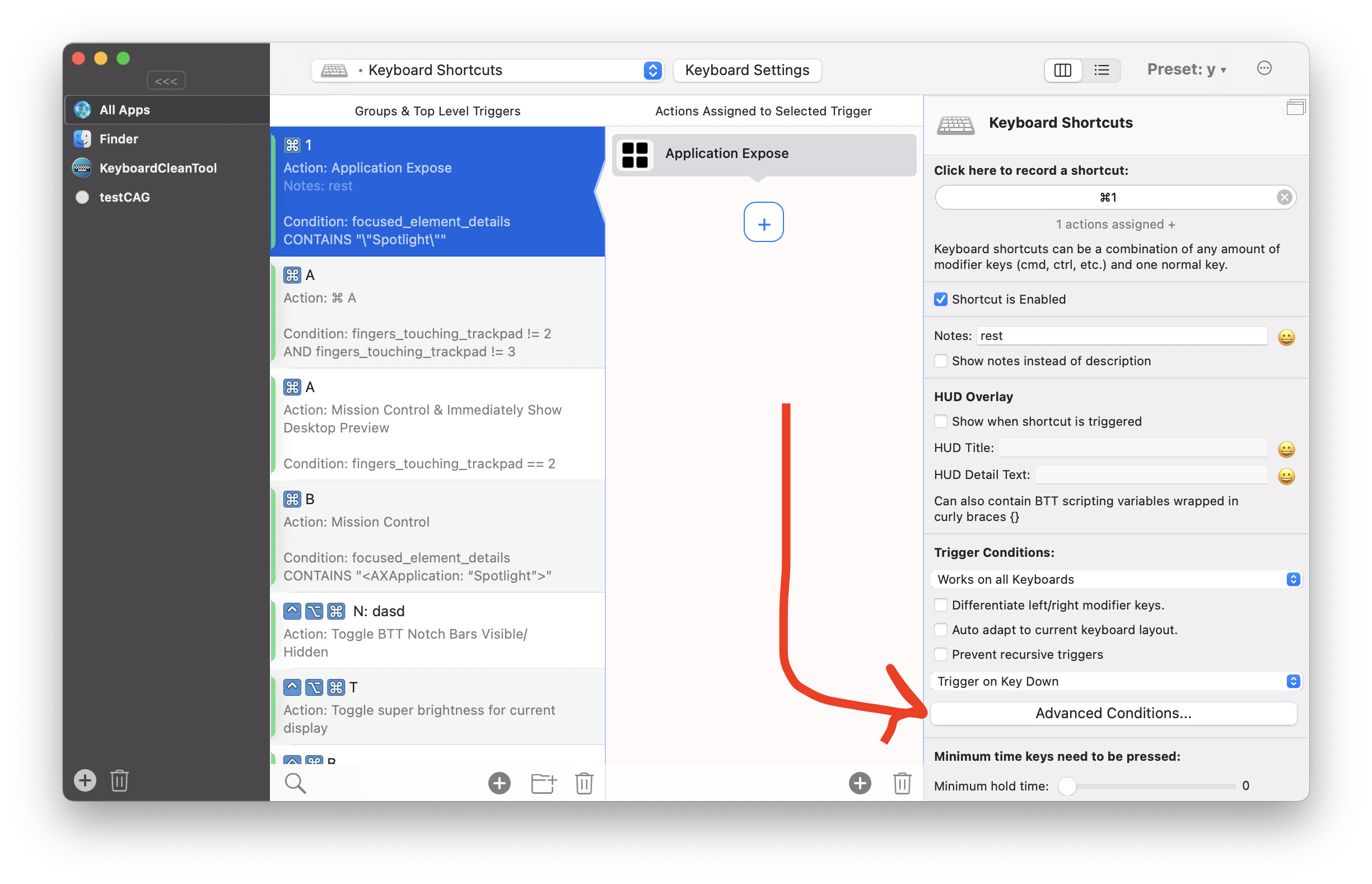
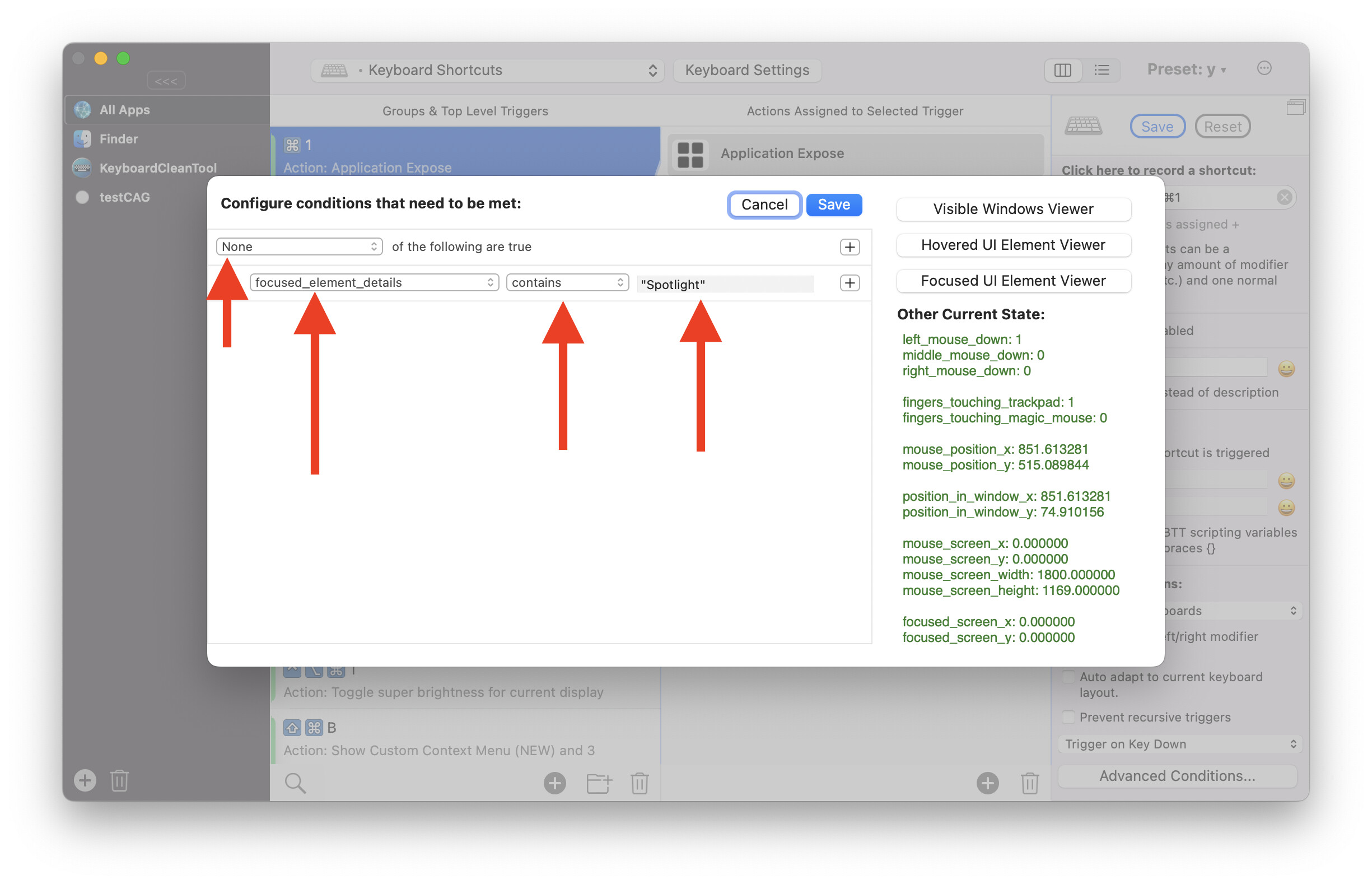
Interesting stuff.
Well it works, and that's a nice start for me. But in my case I use keyboard characters to launch shortcuts and when I fire up a Spotlight search I want those keyboard characters to use in my query. Now those characters are just negated. Is there a workaround maybe in the current alpha?
so when I remap "k" -> arrow down , how to output "k" in spotlight
Thanks
you can create one shortcut with a condition that is only active for spotlight, then make that shortcut send itself (make sure to enable „prevent recursive triggers“). I’ll post an example later.
Similar to this Use number of fingers touching the trackpad as modifier for keyboard shortcuts
For the other shortcut it needs a condition to not be active for spotlight
Ah! "Prevent recursive triggers". Nice, needed something like that a couple of times before. Didn't know that it existed.
Unfortunately it doesn't work very smooth in this case. In the spotlight search window the output of "k" gets very fuzzy  Doesn't seem to work well
As a quick workaround: try fn + k in spotlight
Ha! Nice one. Cumbersome, but it works. Definitely the best second choice.
This is just the emergency solution, so you can now write "k" in spotlight until the proper solution is implemented. 
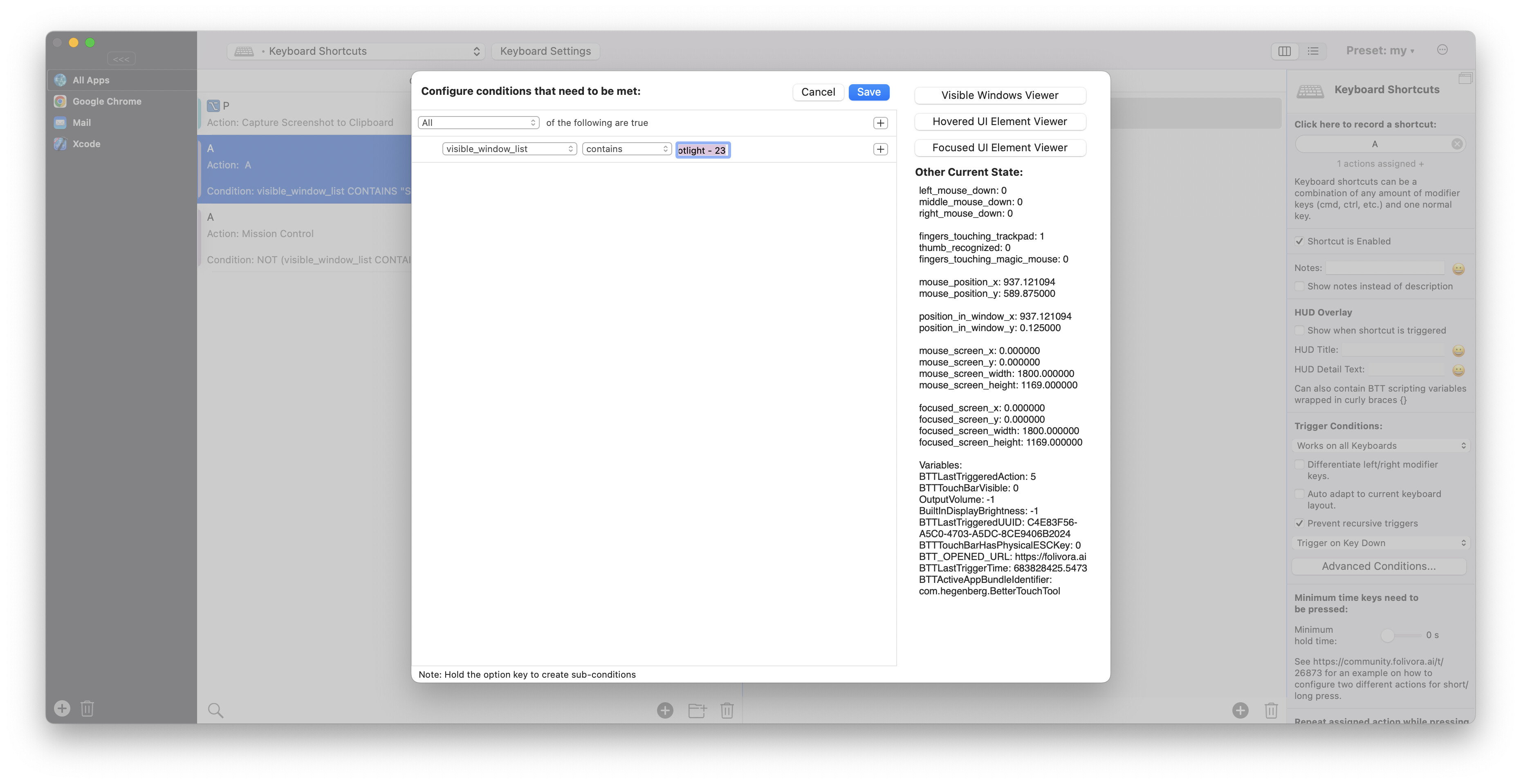
Nice! Definitely works a lot better. Excellent
BTW after bumping this thread I switched to Raycast as a Spotlight replacement because I was hoping that this would solve the issue. I came to love it and better for the time being. Do you have a similar workaround for Raycast. What did you use to identify "Spotlight - 23" in the window list?
the button on the top right of the conditions editor opens a list of all visible windows