
Hi - just noticed that the dictation action (the mode that transforms spoken words into text, not siri) is not present on the list - would you reconsider creating one?
On macOS, you can use the built in dictation (doublet tap fn if it's activated). Just change the shortcut and/or assign it directly as a BTT action!
Whoa, somehow I forgot that I can reassign this in system preferences  Thanks. But still, perhaps Andreas will find it useful and implement it if opportunity comes
I second that feature request. My reasons:
- "Ask Siri" is already a preset, yet has its own keyboard shortcut by the system. So no loss of consistency.
- The standard keyboard shortcuts (fn-fn or cmd-cmd) aren't easily configured as action – (fn down - fn up)x2 does not work, might need pauses, which would turn this into a seven-action monster.
- Changing the default shortcut is possible, but could result in confusion, e.g. when BTT preferences are synced but macOS keyboard shortcuts aren't.
Thanks for considering.
Agreed, this would be an awesome feature to have!
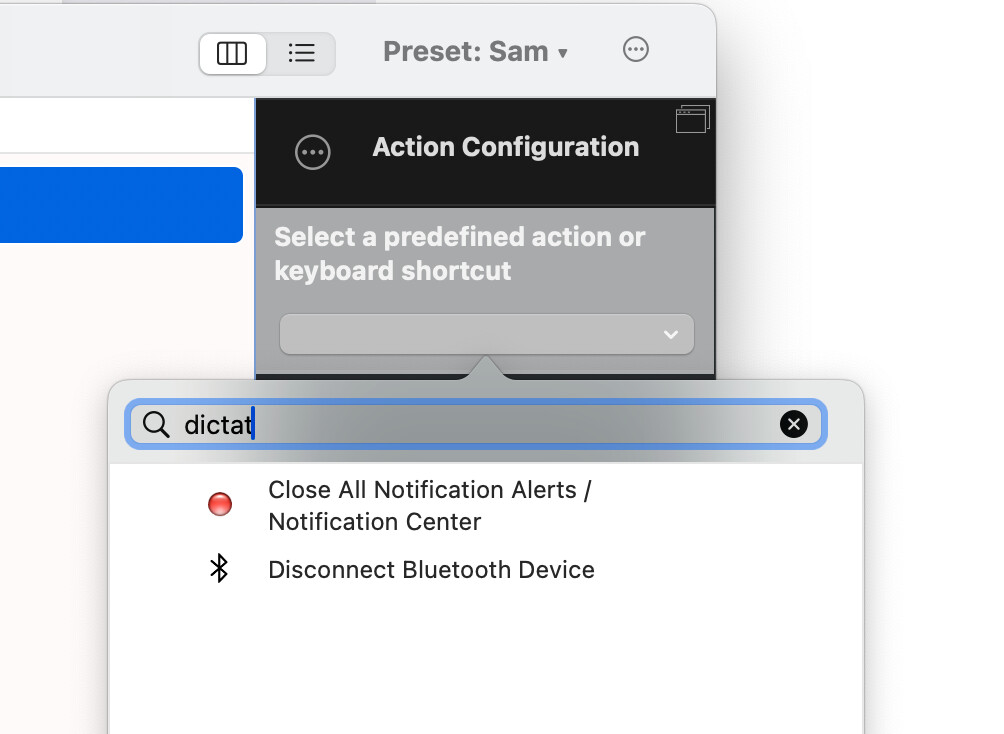
I just spent some time getting this to work to no avail.
The use case is that I want to keep the system default, but when I'm home I want to use an external macro keyboard to trigger the dictation feature, and there is no way to do that.
+1
My use case is to keep all settings on BT.
MacOS built-in dictation somehow doesn't recognize my Razer BlackWidow V3 Pro F14 key.
You can use the "Trigger Menu Bar Menu Item" action to trigger "Edit;Start Dictation"
Thank you, Andreas! It works perfectly.
I tried the builtin dictation and it doesn’t work except in “dictation enabled” apps. That is, apps which have Edit > Dictation already.
I found a solution which works in all apps: Spokenly. It has a 100% local mode, for macOS 26 (and later). It’s free. I have no association with them. I came here to see if there was a way to use BTT to turn on the native dictation in all places, since I wanted to compare them. Then, I found out that the native dictation doesn’t work everywhere, like Spokenly.
I have recently started to work on a dictation / speech recognition action. It uses Apple's newish SpeechAnalyzer | Apple Developer Documentation API and runs locally. Maybe I will add options to load third party AI models as well.
I think I'll release a first version of this soon. It will however require macOS 26!
Note: Requires macOS 26:
Version 6.052
I have added a first version of this action "Start / Stop Dictation / Recognizing / Transcribing Speech"


You can e.g. configure it to start recording on key down (or mouse down) and end recording on key up so it records while you hold a shortcut/key and pastes once you release the key.
After using this for a few days, I think the local Apple Speech Recognition models this makes use of works really really well - at least for english and german!
How is the experience for others? Would it still make sense to allow other models or is the Apple model good enough?
can you share the preset, it is confusing how to set up a key up..
it is not recording
Yes, how would you like to start / end recording?
pressing a single key would be helpful,
just press and hold the function key - starts recording
releasing the key - ends it
Ok here is a preset that keeps recording while holding FN:
dictation.bttpreset (4.0 KB)

thanks much, may i know why the transcribed text not showing up in the clipboard history?
