I want to pause a series of actions, trim a video screen capture, and then continue the remaining actions (involving renaming etc).
Is there an action that can wait/block for a key combo to continue? If not some Applescript or JS that I could use?

I want to pause a series of actions, trim a video screen capture, and then continue the remaining actions (involving renaming etc).
Is there an action that can wait/block for a key combo to continue? If not some Applescript or JS that I could use?
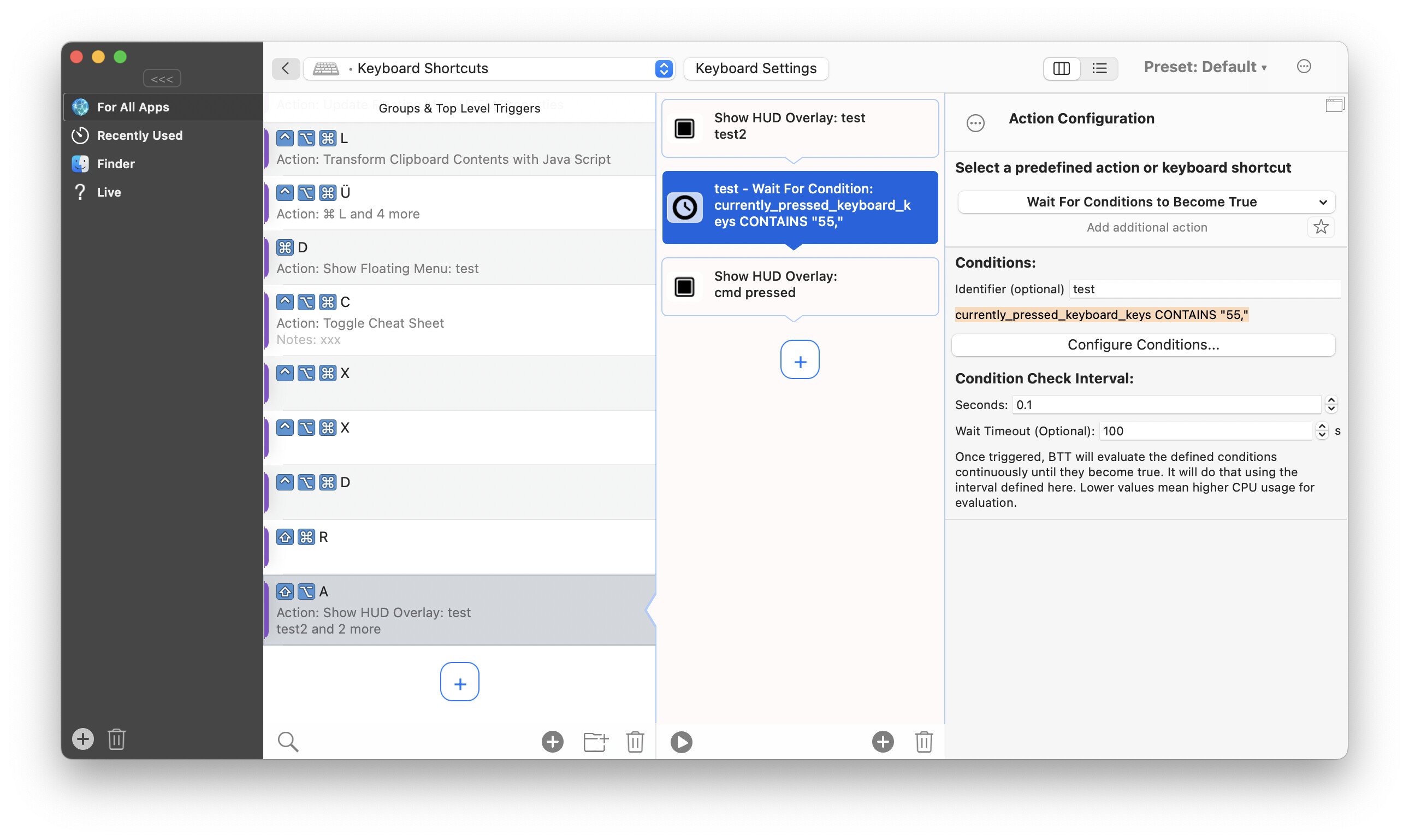
I'd rather recommend to split up your action sequences. However I think you can get something like this working using the "wait for conditions to become true" action:
You need to add a condition that is based on the curently_pressed_keyboard_keys variable (in the example it waits for key code 55, which is cmd)
THAT IS BRILLIANT 
Can I make it Clip board has some change or not ?
Can you clarify what you mean by "Split up your action sequences"? It seems like this is your recommended best practice. I would like to set up an action to only continue when a certain key is pressed. Thanks!
I have added a basic "wait for key press" action in 4.979 alpha:
You currently need to enter the raw key codes, you can e.g. find them here: Complete list of AppleScript key codes
Currently only one "wait for key press" action can be active simultaneously. If a second one is called the first one will cancel.
love this feature! the field labels are pretty unclear though! i had to come here and see your screenshot to understand how to use it (like is the timeout in seconds or what?) . also can u add an option to listen for keypress instead of having to grab the codes?