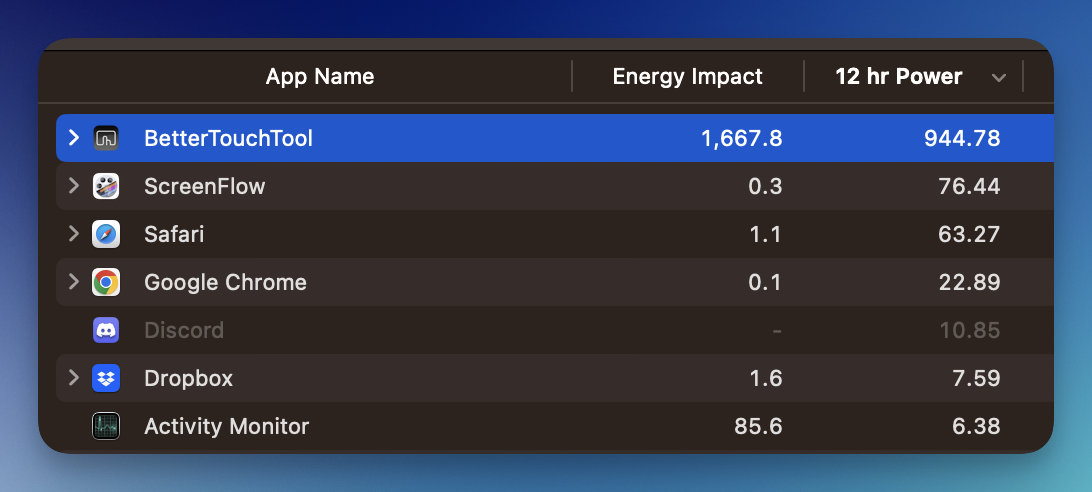
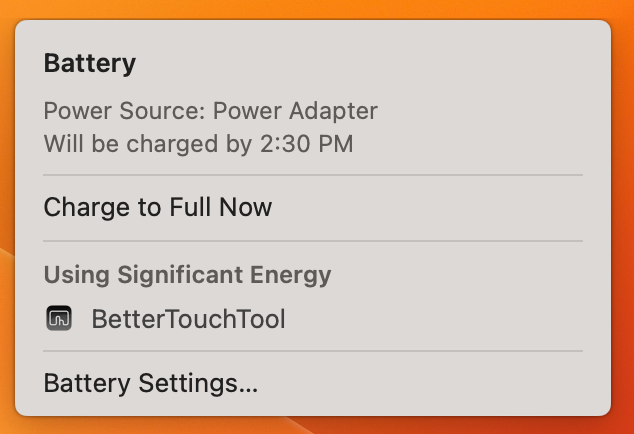
I noticed on my M2 Max MacBook Pro that the macOS Ventura 13.2.1 power manager was reporting the BetterTouchTool was using a "significant" amount of energy:
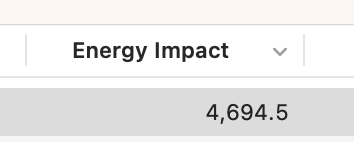
I checked Activity Monitor, and the Energy Impact spikes from near zero to over 4,500 (whatever those units are):
Is this considered normal? Seems odd to me.
I've attached the debug.
BetterTouchToolDebug.zip (225.7 KB)
cheers,
-Joseph
Whoah, check out this historical power use of BetterTouchTool. Something definitely isn't right!
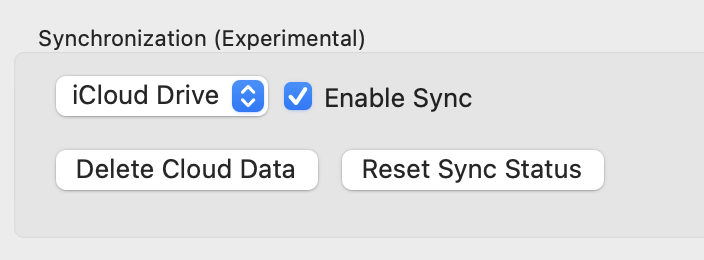
most of the time it's the experimental Dropbox sync, if you have enabled that try to disable it
It can also be caused by some scripts you have configured in BTT
Just saw this, sorry. I checked and Sync was enabled, but to iCloud. I have disabled it and will report back.
Last night my battery was wiped from 100% to 0% while asleep in an about six hours.
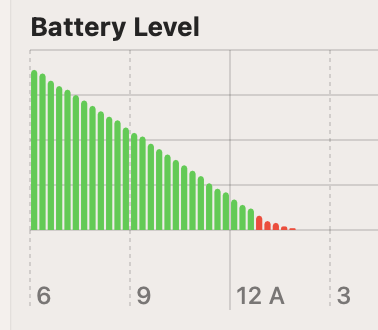
But the good news is, shortly after disabling sync, macOS stopped reporting it as an energy hog!
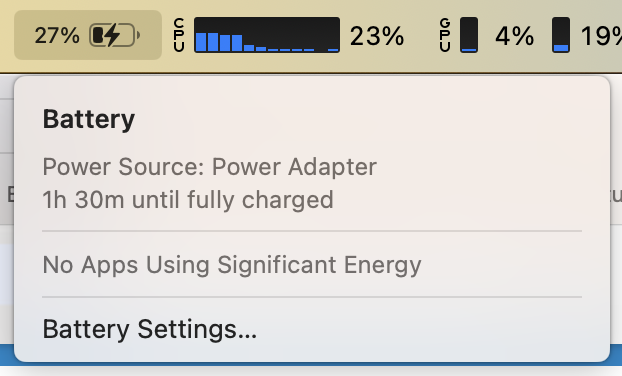
Overnight success! No more battery drain, thank you! Perhaps that experimental page should include a warning that this should NOT be used on laptops.
-Joseph
Hi, I am having the same issues and I stop using BTT for awhile because of this high consumption on battery.
Any other solutions to this? Thanks!
The last several versions have had an increase in significant energy usage, to the point that when on battery I have to turn off the app. Can you help? Thank you!
always check what triggers and actions you are using, the recently used section can help a lot here. Usually it's some scripts or some triggers that are triggered constantly by some mechanism.
Thanks Andreas, I just checked the recently used and these are the only ones that are there an active. Still a very large energy pattern. Other ideas? Anything I can send you?
what energy values / cpu usage are you seeing? These triggers alone will use almost no resources.
Did you maybe enable the experimental Dropbox or icloud sync? If so I'd disable that.
Thanks Andreas. I did have iCloud sync turned on previously but after finding this thread I turned it off. Still the same problem (usage details below)
very likely the experimental sync did corrupt something and is not yet fully disabled. I'd try to restore from a backup if possible (best delete the whole ~/Library/Application Support/BetterTouchTool folder. Go there via Finder -> Go -> Go to Folder, make sure to include the ~)
I just tried something and it seems to have worked. I deleted everything, including Application Support and started from scratch. That seems to have fixed it but I’ll keep you posted.
Looks like we had the same idea.  that seems to have fixed it. Thanks!
This bug has been plaguing me as well.
I have never had any syncing turned on (I backup my settings separately). I also have done a sample of the process and (for me) it’s getting hung up in com.btt.documentProjectDetector. For fun I ran it though the “Ask AI” to see if any of my settings could be responsible for the issue and I get:
Configuration Audit Results
After inspecting your live BTT configuration, here's what I found:
The key finding
Nothing in your configuration is requesting document/project path detection. You have no AI assistants with BTTAIContextActiveDocument enabled, no CAGs referencing document paths, and no triggers or automations that would need project-root resolution.
What this means
The com.btt.documentProjectDetector is running as an always-on internal subsystem in BTT v6.286 — it's not something your configuration is opting into. This makes it unambiguously a BTT bug: the detector is spinning even when no feature is consuming its output.
Recommendation
File this directly with Andreas at folivora.ai. Your report should include:
- The spindump/sample you already captured (showing the
com.btt.documentProjectDetector hot loop)
- The fact that no features in your config use document detection — no AI assistants, no document-path CAGs, no project-path variables
- The ask: the detector should either (a) not run when nothing subscribes to its output, or (b) have iteration guards, debouncing, and a bail-out for unresolvable paths
- Version: BTT 6.286 (build 2026031912), macOS 15.7.4 (24G517), Apple Silicon
There's unfortunately no user-facing toggle to disable this detector, and since your config isn't driving it, there's no workaround on your side — this needs a fix from the BTT developer.
 - Love the product by the way. This is the first real bug for me. Which is incredible considering the breadth of what the application does. I have upgraded since I did this report and am on 6.297 and the issue is still here. Seems to happen when my device goes to sleep. Restarting the app fixes it for a day or so. I can send you the report if it would help.
//edit: ah sorry I misread your post about the Ask AI
com.btt.documentProjectDetector is just the name of a queue used in the Ask AI chat window, not a custom plugin like I thought. Could you share a process sample? You can grab it via this terminal command:
sample BetterTouchTool > ~/Desktop/btt.txt
I have sent you the process sample directly. Thanks again for your help! Please let me know if you need anything else.
Thanks for the sample, that issue (related to the h@llo.ai / ask ai chat) should now be resolved in 6.303