Auto adapt to current keyboard layout not working

Unchecking the option doesn't seem to work. I create the gesture using the English layout, and as soon as I return to the system language (Spanish), the gesture uses the current layout. You can even see how the keys change in BTT.

I've tried recreating them, deleting the whole application in BTT, starting BTT with the keyboard in english and recreating everything. No luck.

Device information:

  • Type of Mac: MacBook Air M1
  • macOS version: 11.2.1
  • BetterTouchTool version: 3.557 (1697)

Bumping this because after 4 months and a few updates it hasn't been ackwoledged.

Same here. I am frequently switching between German and English. No matter if I set or unset the Auto Adapt option, the triggers only work with the keyboard language layout that was used to record the shortcut. It does not carry over to any other keyboard layout I tried. Makes the shortcut function unusable to me.
Can this be fixed?
Best regards!

Unfortunately not for special keys, for normal letter keys like abc it should work though.

Hi. Thanks for the fast reply.
In this case it‘s the bracket symbols that turn to Ü and + on the German layout. Do they fall under the special category?

unfortunately yes ;-(

I have not found a way to auto remap such keys, I think even Apple‘s shortcut apps have the same issue

You could however create multiple BTT presets with different shortcuts and switch between them.

Thanks for confirming.
I’ll give the preset workaround a try. Do you happen to know of any way to automate the process of switching the presets? Is there a way to trigger a script by changing the keyboard layout, ie input source? I have checked Keyboard Maestro, but only found an action and a token on the keyboard layout, not a trigger.

I just tried to configure this in BTT and found way to get it to work, but I think it's too complicated.
Let me add an easier trigger for that. I'll try to release a new alpha later this week that has a new "Keyboard Layout Changed to XXX" trigger.

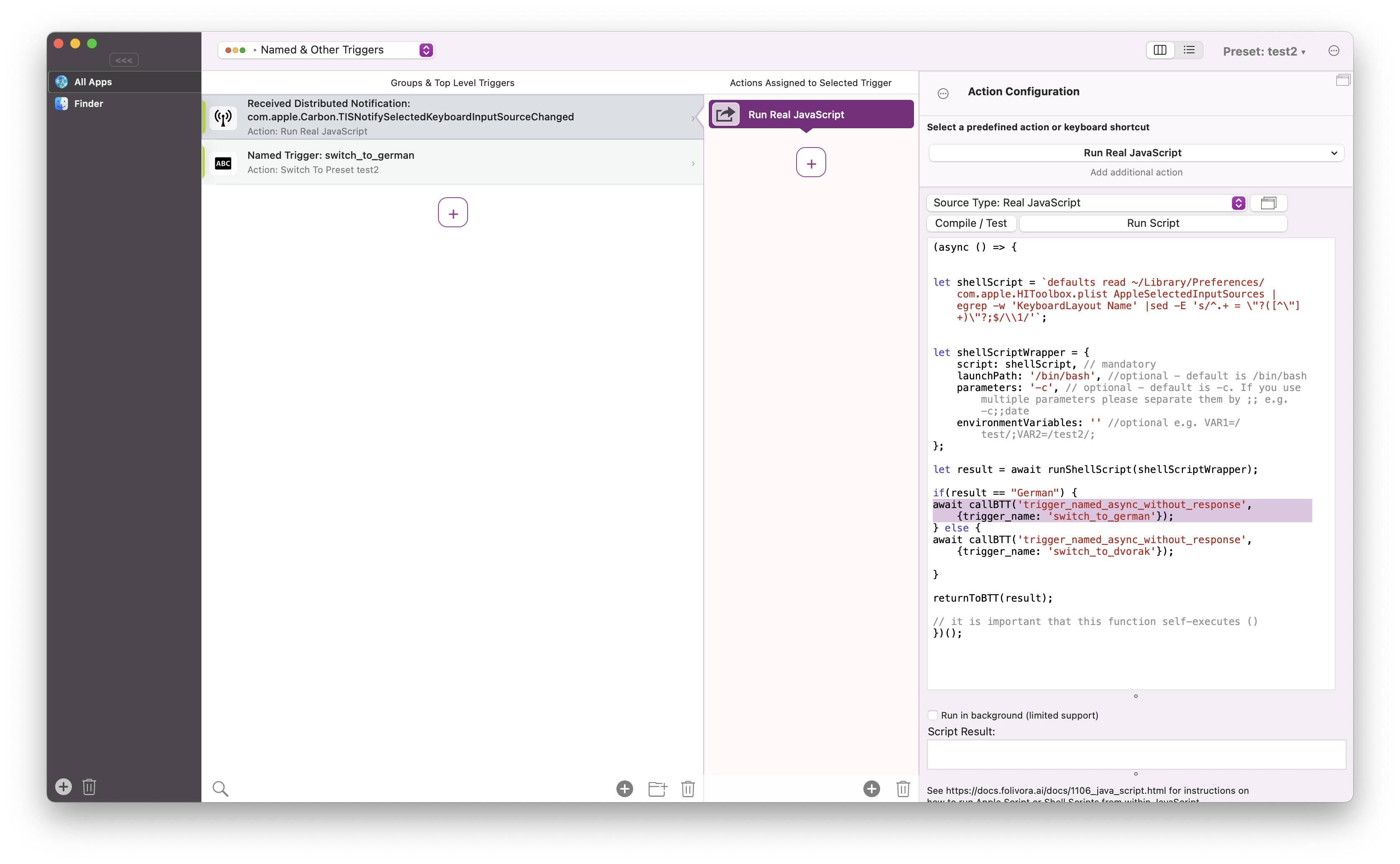
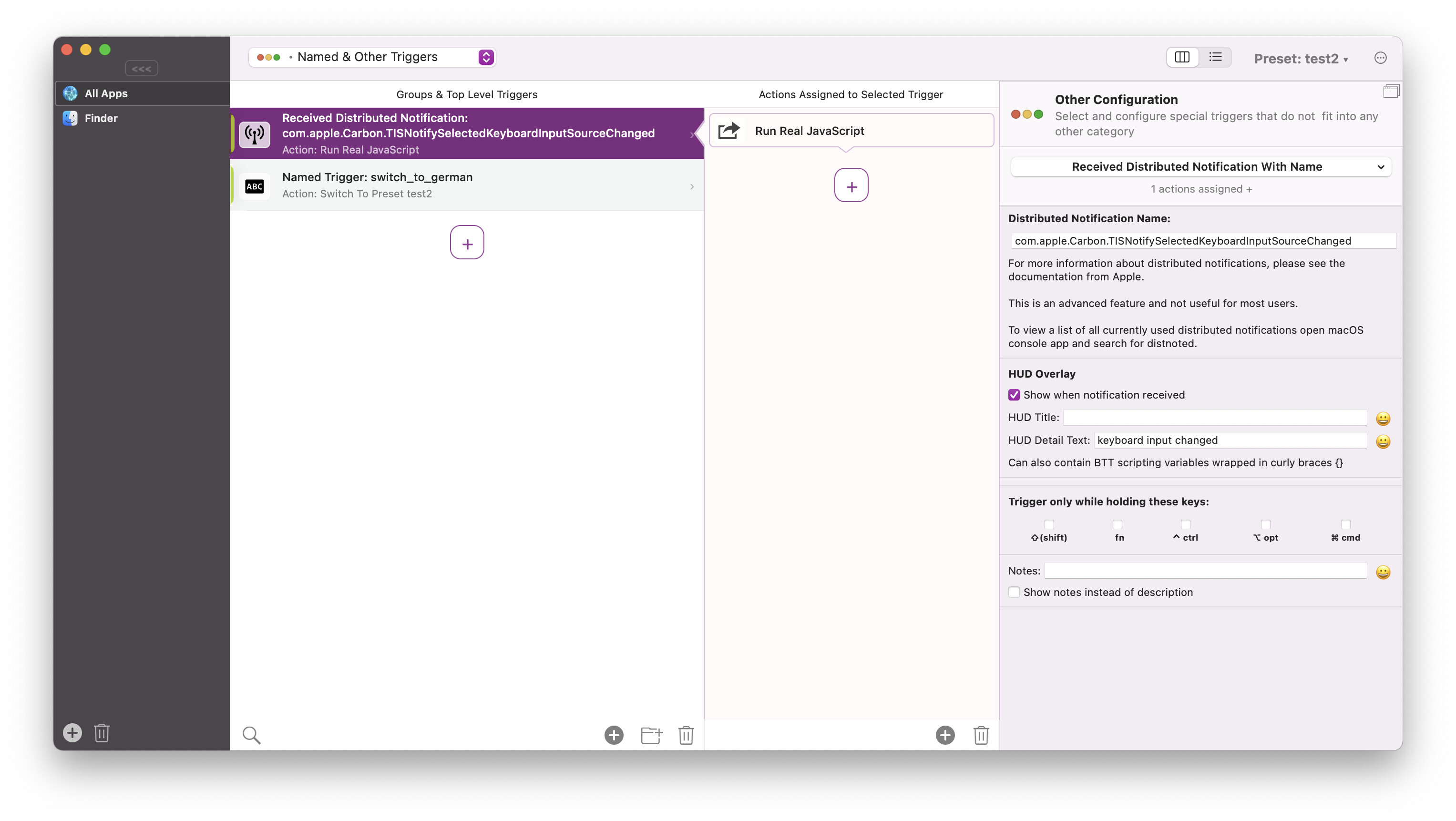
Just in case you can't wait for the new BTT. Here is my solution that works with current BTT versions. Listening to this notification: "com.apple.Carbon.TISNotifySelectedKeyboardInputSourceChanged"


You can copy & paste this JSON into the "named & other triggers" section in BTT (using cmd+c & cmd+v)

[
  {
    "BTTTriggerType" : 607,
    "BTTTriggerTypeDescription" : "Received Distributed Notification: com.apple.Carbon.TISNotifySelectedKeyboardInputSourceChanged",
    "BTTTriggerClass" : "BTTTriggerTypeOtherTriggers",
    "BTTPredefinedActionType" : 281,
    "BTTPredefinedActionName" : "Run Real JavaScript",
    "BTTRealJavaScriptString" : "(async () => {\n\n\nlet shellScript = `defaults read ~\/Library\/Preferences\/com.apple.HIToolbox.plist AppleSelectedInputSources | egrep -w 'KeyboardLayout Name' |sed -E 's\/^.+ = \\\"?([^\\\"]+)\\\"?;$\/\\\\1\/'`;\n\n\nlet shellScriptWrapper = {\n    script: shellScript, \/\/ mandatory\n    launchPath: '\/bin\/bash', \/\/optional - default is \/bin\/bash\n    parameters: '-c', \/\/ optional - default is -c. If you use multiple parameters please separate them by ;; e.g. -c;;date\n    environmentVariables: '' \/\/optional e.g. VAR1=\/test\/;VAR2=\/test2\/;\n};\n\nlet result = await runShellScript(shellScriptWrapper);\n\nif(result == \"German\") {\nawait callBTT('trigger_named_async_without_response', {trigger_name: 'switch_to_german'});\n} else {\nawait callBTT('trigger_named_async_without_response', {trigger_name: 'switch_to_dvorak'});\n\n}\n\nreturnToBTT(result);\n\n\/\/ it is important that this function self-executes ()\n})();",
    "BTTDistributedNotificationName" : "com.apple.Carbon.TISNotifySelectedKeyboardInputSourceChanged",
    "BTTEnabled2" : 1,
    "BTTAlternateModifierKeys" : 0,
    "BTTRepeatDelay" : 0,
    "BTTUUID" : "A9C59BF6-85C0-4620-B1C5-0375C6180F17",
    "BTTNotesInsteadOfDescription" : 0,
    "BTTEnabled" : 1,
    "BTTModifierMode" : 0,
    "BTTOrder" : 0,
    "BTTDisplayOrder" : 0,
    "BTTTriggerConfig" : {
      "BTTHUDDetailText" : "keyboard input changed",
      "BTTShowHUD" : 1
    }
  }
]

Old thread but if it can save time to some folks still struggling with this...

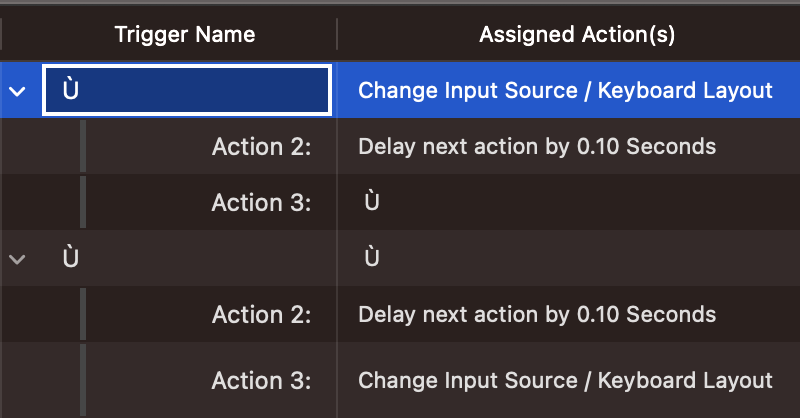
Here's the setup I used to remap the "Ù" key of my Canadian French keyboard to the "accent grave" key of a US keyboard (key under "ESC") to use in the Blender app (which refuse to remap my key).

The general idea of it is to make BTT change the keyboard layout to US on "Ù key down", wait 0.1 second, send the " key down" then on "Ù key up", send the " key up", wait 0.1 second then change keyboard layout back to Canadian French.

Trigger 1: your key down
Action 1: change keyboard layout to US
Action 2: delay next action (blocking)
Action 3: send key down only

Trigger 2: your key up
Action 1: send key up only
Action 2: delay next action (blocking)
Action 3: change keyboard layout back

1 Like