Type
Swift plugin
Categories
Touch Bar
Summary
Animated Nyan Cat for the Touch Bar that changes accessories based on what you're doing
Description and setup
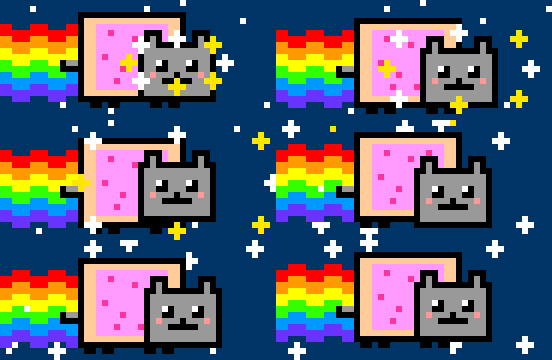
Quick vibe-coding session (Claude Code, one evening) to finally do the thing I always wanted to do with my Touch Bar: have a Nyan Cat flying along on the left.
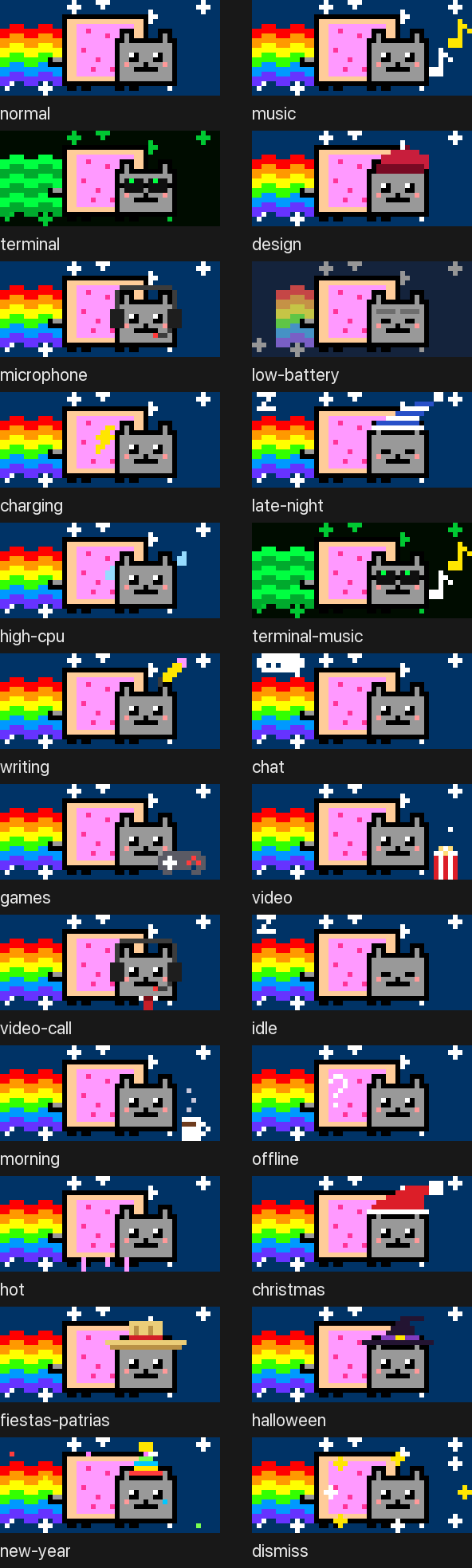
Then it got a little out of hand and the cat started reacting to whatever I'm doing:
- Music playing → floating notes
- Terminal / code editor in front → matrix rainbow + hacker shades
- Design app in front → painter's beret
- Mic in use (any app, browser calls too) → headset
- Battery ≤ 20 % → faded rainbow, tired eyes
- Charging → lightning bolt
- Midnight to 6 AM → nightcap and zzz
- CPU above 70 % → sweat drops and the cat runs twice as fast
They stack, so music + terminal = shades and notes.
Fun detail: a GIF as a button icon doesn't animate in BTT (people have been asking for that for years in the "Button animation (.gif) for touchbar" thread), so this is a Swift Touch Bar plugin that swaps frames itself. BTT sits around 1–2 % CPU on my M1.
Setup: drop NyanCat.swift into ~/Library/Application Support/BetterTouchTool/Plugins/, confirm the compile prompt, then add a Touch Bar "Plugin" widget → Nyan Cat, on the left. If your preset has conditional groups (like "Music Playing"), add it there too. To preview a variant, set the BTT variable nyan_forzar to something like musica,terminal (empty = automatic).
Got more ideas? Feel free to vibe code them. The sprites are drawn in code, so a new hat is a few lines in the generator. PRs welcome: GitHub - lahoal/nyan-touchbar: Animated Nyan Cat for the MacBook Pro Touch Bar (BetterTouchTool plugin) that changes accessories based on what you're doing · GitHub
Version
1.0.0
Tested with BetterTouchTool version
6.958
Download
NyanCat.swift (25.1 KB)
Screenshots