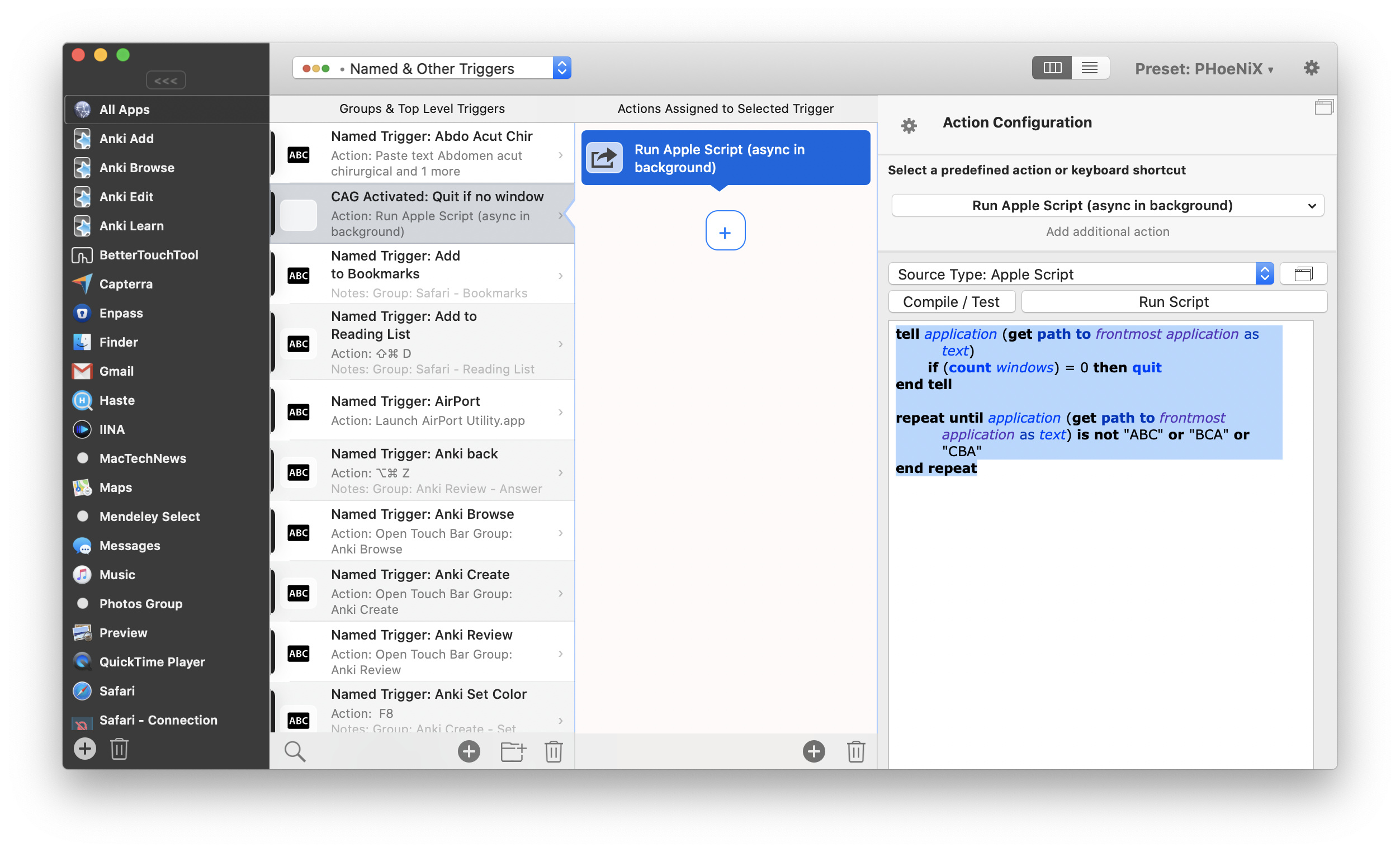
@Noon_Chen did a quite good job here, but it presumes that you have a MacBook Pro with Touch Bar (I think? Or does BTT display Touch Bar settings even on Devices without?). Here is how to achieve it without using the Touch Bar. Stepp 1 and two are the same, then:
-
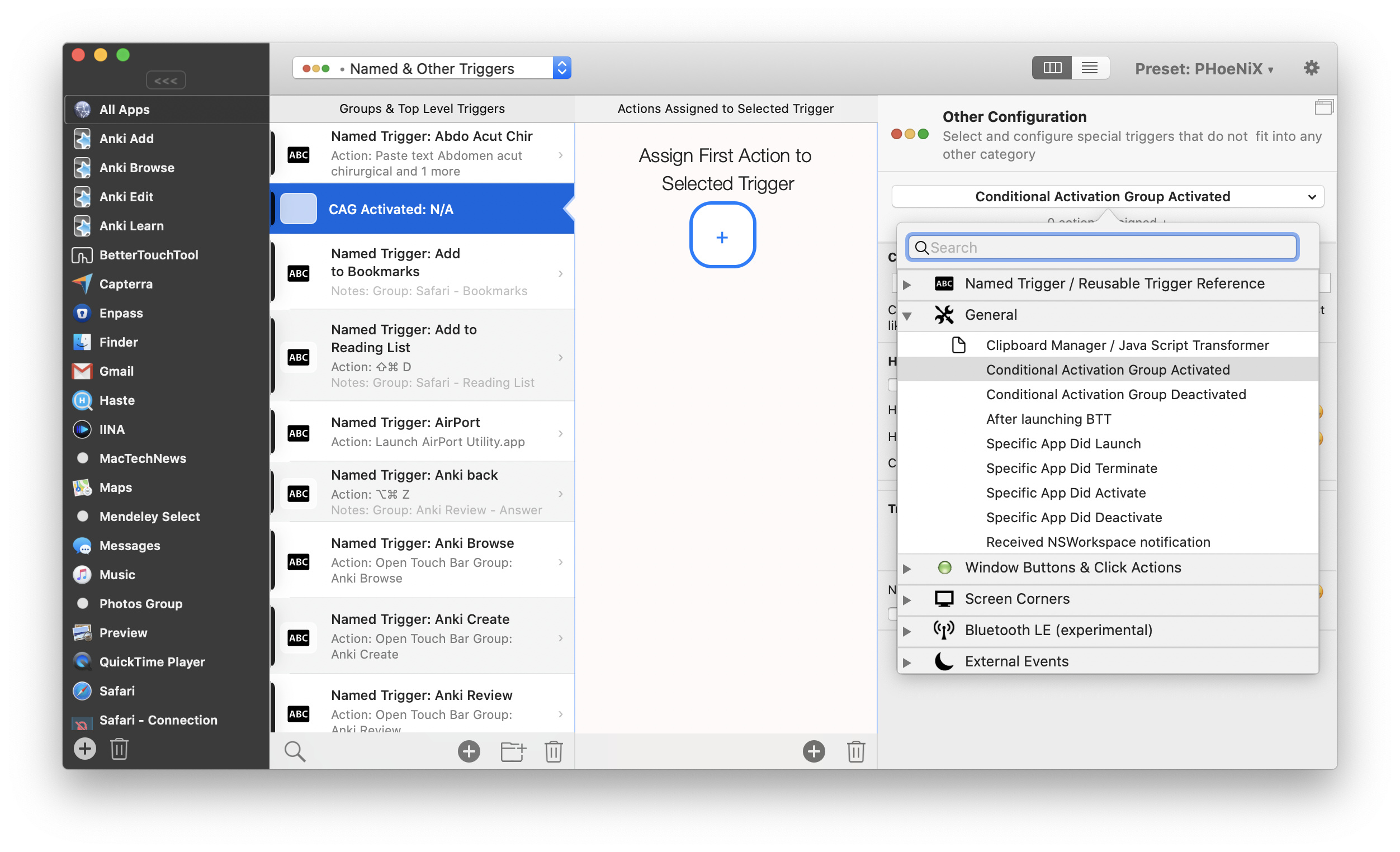
Go to Named & Other Triggers
-
Create a New Trigger that activates if a specific Conditional Activation Group is activated.
Don't forget to chose the CAG!
-
Add an action "Run Apple Script (async in background), and paste the script
 tell application (get path to frontmost application as text)
 	if (count windows) = 0 then quit
 end tell
 repeat until application (get path to frontmost application as text) is not "ABC" or "BCA" or "CBA"
 end repeat
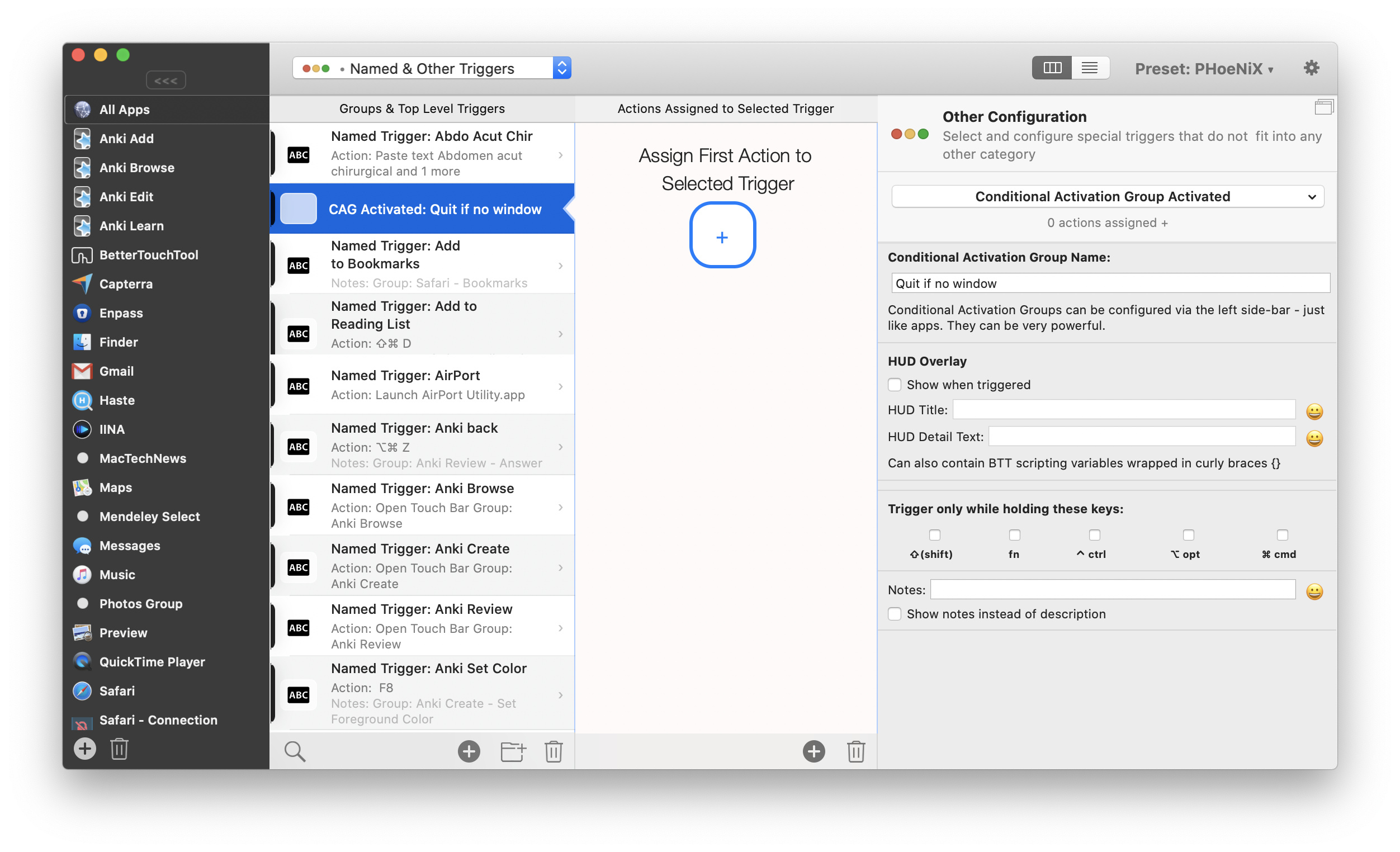
Replace ABC, BCA and CBA with your apps, and it should work - didn't give it a field test though 
Final Trigger should look like this: