Some progress - maybe I'll release a beta later today but not sure yet. Still need a few days to implement everything I had planned.

All generated workflows can be exported as BTT action to execute them without AI next time
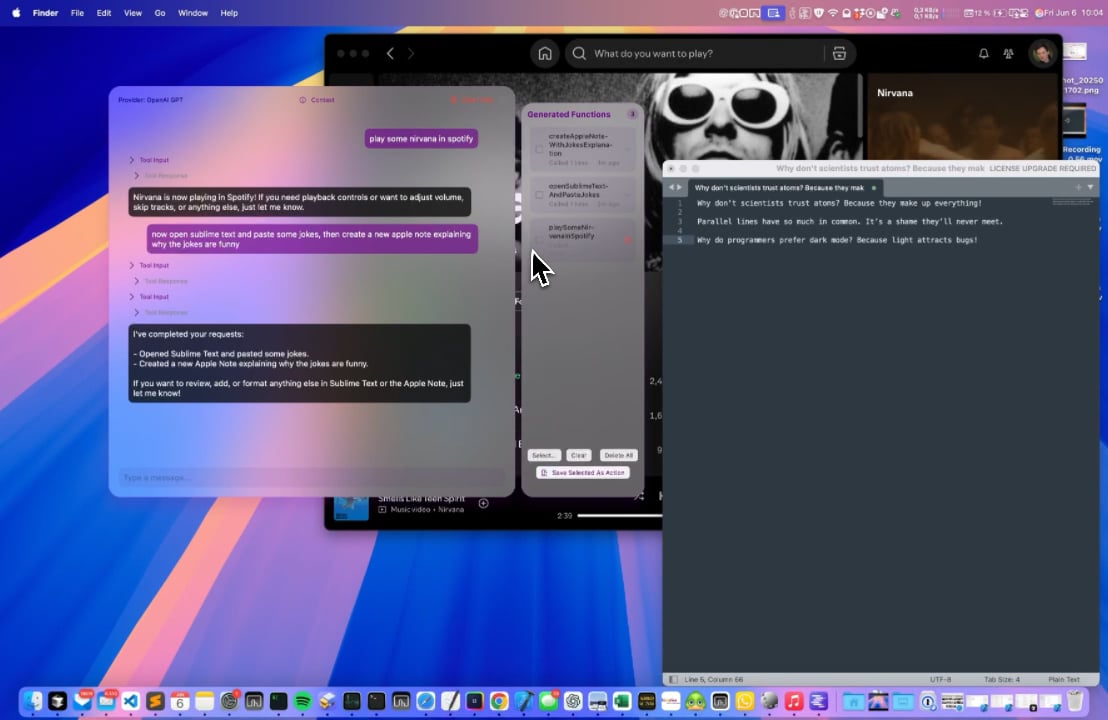

Some progress - maybe I'll release a beta later today but not sure yet. Still need a few days to implement everything I had planned.
All generated workflows can be exported as BTT action to execute them without AI next time
Hi @Andreas_Hegenberg , have you experimented with OpenAI's computer-preview tool in their Responses API?
Yes, but it didn't work well for me and was pretty slow. Not sure whether I did something wrong, my current imlpementation seems to work much better - at least in my limited tests so far. Also it made it very hard to create reusable actions out of a given prompt.
Sounds good – I'm also not a fan of sending screenshots of my Mac to OpenAI's servers 
Yep, although context is needed in all cases, so cloud services will always get to know what's happening on your system.
Hi @Andreas_Hegenberg That's very interesting! Are you planning to release it today? Also, can it interact with Apple Notes and Reminders? For example, could I add a reminder to a specific list?
no, will work on it for a few more days. Yes it can directly interact with reminders and notes
Ah, take your time, and thanks so much! I was about to buy one of these two apps, and this will literally replace them.
yes, let’s see. I think BTT’s AI tool will become more powerful than these 
Looking forward to trying this!
Exposing it all as MCP tools and having it be able to use other MCP servers would be huge!
Another interesting attempt at this was by Joseph
Here: Substage: Command line power, natural language ease.
But it wasn't really working for me.. it wasn't consistent and not very effective, unlike what I'm seeing in your demos here!
Side note: I have a few local LLMs installed on my machine, would be cool if I'm able to use them with the current BTT AI tools:
you can already use them with these existing tools, they allow you to specify a custom url and model name
That's awesome! I saw that it said "requires API key," so I didn't think it was possible to use a local LLM. Maybe it could be called "Custom or Local LLM" or something similar to make it clear that it's possible.
This is the config I've tried:
I also tried Model = gemma3:latest
URL: http://localhost:11434
and API Key empty
And it didn't work
Maybe this could pull all the available local models and let the user choose one from a list with a refresh button next to it to improve the experience.
Thanks!
you need to enter the full url, e.g.
http://localhost:11434/v1/chat/completions
These older actions only support the chat completions format. The upcoming AI integration adds support for that style but in addition the responses api and the anthropic style
Suggestion? Not sure if you have this baked in already or if it will be possible - Can the chat interface give useful feedback if a prompt/question is flawed or missing something? Kind of like our very own Andreas on the desktop ...  .
.
Hi @Andreas_Hegenberg just checking in to see if there’s any update on this. Thank you!
sorry was away for the week. Will get back into this tomorrow. I don't have an exact date for the first test build but it will definitely be released in the next 1 to 14  days.
days.
No worries at all I really appreciate the update! Looking forward to testing it whenever it’s ready 
Hi!
Is this project still planned and you're working on it or have you backed out of it?


